DataCops vs Mixpanel
Mixpanel shows you beautiful funnels. DataCops makes sure those funnels measure real humans.
Mixpanel does not do server-side Conversions API forwarding, does not filter invalid traffic, and does not recover signal from consent-rejected sessions. When your ad-side conversion data is broken by iOS, consent loss, and bots, Mixpanel will confidently optimize the wrong number. DataCops sits in front of the pipeline, decides what is true, and then the analytics tools can measure it.
Start FreeWhy first-party wins - feature by feature
DataCops doesn't just replace a tracker. It eliminates the three root causes of missing data - blocking, cookie limits, and consent gates - all from a single install.

One platform that captures, verifies, and activates - instead of patching three tools together.
Mixpanel's funnels look healthy while measuring bot-contaminated, consent-stripped, ad-platform-disconnected data.
Mixpanel is a product analytics platform, and it is good at that job. It does not forward conversions server-side to Meta or Google, it does not filter bot traffic before events are stored, and it does not recover signal from consent-rejected sessions. The funnel looks fine. The funnel may be measuring the wrong people.
What the gap actually looks like
A growing startup pays roughly $3,600 a year the moment its event volume crosses Mixpanel's free tier. Most teams discover that from an invoice, not a pricing page. What they are paying for is a product analytics layer that never touches the gap between what Meta reports as conversions and what Shopify reports as purchases. Mixpanel counts events; it does not reconcile them.
Mixpanel's event collection runs through a third-party browser script. Ad-blockers strip 25 to 35 percent of real human sessions before that script can fire. Of the traffic that does land, industry measurement puts 24 to 31 percent as non-human. Mixpanel stores it all without filtering. Every funnel conversion rate, every retention cohort, is calculated on a denominator that includes bots and excludes blocked real users.
Amplitude's Cohort Sync and similar audience-push features send contaminated cohort membership upstream to Meta and Google. Mixpanel feeds the same poisoned upstream when you use integrations. Meta studies that bot-shaped audience and optimizes to find more profiles like it. ROAS degrades while every Mixpanel dashboard reports the campaign as fine, because bot conversions count as wins in the funnel.
How DataCops fixes Mixpanel's gap
DataCops sits in front of the pipeline and decides what is true before an event reaches any analytics tool. It collects first-party on your own subdomain, so far more sessions survive ad-blockers than any third-party script. It filters bots at ingestion against a 361.8 billion-plus IP database, covering residential proxies, datacenter traffic, VPNs, Tor, and headless browsers, before anything is counted or forwarded.
Server-side Conversions API delivery to Meta, Google, TikTok, and LinkedIn runs directly through DataCops, with no GTM container or custom data layer required. Consent state flows with every event, so identifiable data stays gated and anonymous analytics stay legal after any Reject All click. The events your ad platforms see are clean, matched, real-human conversions.
DataCops is not a Mixpanel replacement for product behavioral analytics. If your team lives in funnels and retention cohorts, Mixpanel stays useful. DataCops is the trust layer that makes those funnels measure real data. It is a newer brand than legacy analytics names, and SOC 2 Type II is in progress, which regulated buyers should weigh. Architecture before analytics.
Switching is seamless
One script tag, one CNAME, and you're live in under 30 minutes.

Add the Tracking Script and Validate
Paste this into your website's <head> tag:
<script src="https://datacops.yourdomain.com/core.js"></script>Point Your DNS to DataCops
Add one CNAME record:
Live in 5-30 minutes. Complete data capture begins automatically.
Integration
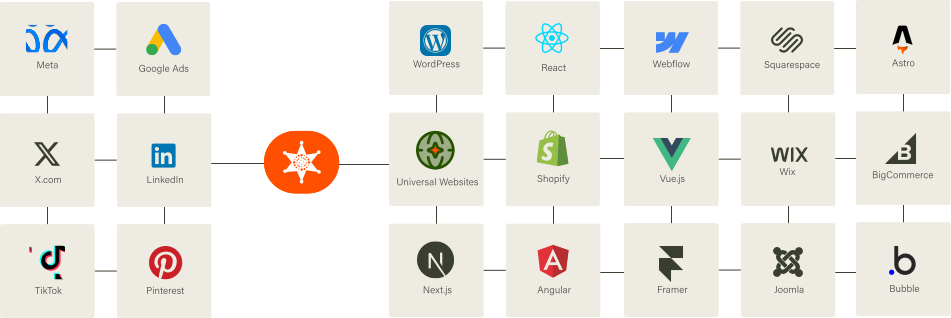
Our Script almost works flawlessly with any website framework to collect analytics data in a more accurate manner!
FAQ
Because your current tool is measuring a fraction of your actual traffic. Ad blockers, ITP, and consent dropoff silently remove 30–60% of sessions before they ever reach GA4, Mixpanel, Amplitude, or PostHog. DataCops runs on your own subdomain, captures the full picture, and feeds clean events to your existing stack - so you don't replace your BI layer, you just give it real data.



