Google Conversions API
Enhanced Conversions
with Fraud Filtering

DataCops' first-party Google CAPI connection sends verified conversion data straight from your domain to Google Ads for stronger optimization, lower CPA, and true ROI clarity.

Setup in 5 minutes
No credit card
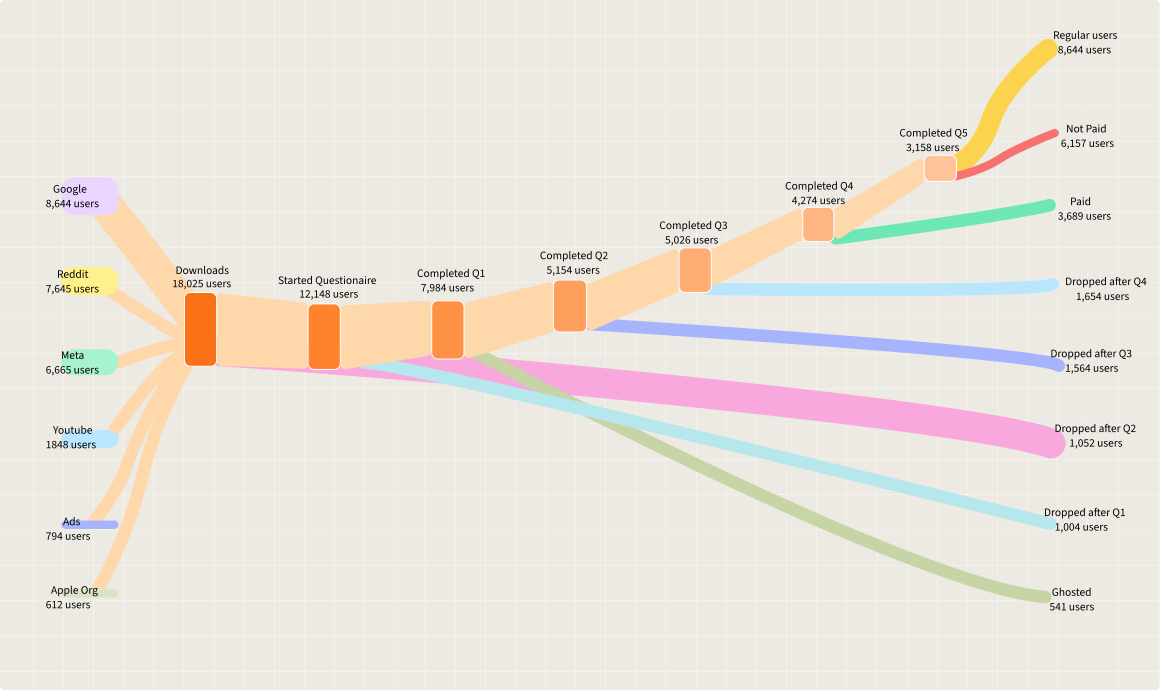
DataCops Google Ads CAPI Workflow Diagram

Capture every visit, even with ad blockers on

Keep only real humans in your analytics, not bots

Power smarter marketing with clean, verified data

The Three Conversion Intelligence Points Google Ads AI Can Finally See.

Capture Every
Conversion

Browser tracking misses 30-40% of conversions due to ad blockers and Safari's ITP. Server-side sends data directly from your server nothing gets blocked.

Feed Google Clean
Data Only

DataCops filters out bot traffic and VPN spam before sending events to Google. Smart Bidding optimizes on real humans, not fake clicks.

One-Click Setup, Zero
Maintenance

Connect Google Ads + any websites in 5 minutes. No custom code. DataCops handles server infrastructure, scaling, and GDPR compliance automatically.

Everything You Need
to Track Perfectly

Two powerful tools included with every plan, no extra setup required.

UTM Builder

Generate clean, consistent campaign parameters in seconds. Automatically structures your tracking so attribution stays accurate across every channel.

Multi-platform templates
Bulk URL generation
Auto-syncs with server tracking
Background
detecting-bots
Background
detecting-bots

Custom Event Manager

Track any conversion that matters demo requests, signups, feature clicks. Define events visually, test them, then push live to Meta instantly.

No-code event builder
Map any CRM field
Real-time testing

Intelligence Google
Ads Can Finally See
and Trust

By sending server-verified conversion events directly to Google's algorithm, DataCops delivers the signal quality that browser pixels can't—eliminating bots, blockers, and guesswork from your attribution.

Background
Property Name
Example Value
DataCops Lead Score
85 (High Intent)
DataCops Total Time on Site
7m 42s
DataCops Executive Summary
Visited 8 pages, including /pricing.Clicked 'Request Demo' CTA twice!
DataCops Full Activity Log
Full Activity Timeline

From broken data to complete tracking in 4-5 minutes

Step 1

Add tracking script One snippet in your <head>. Works with any platform.

Step 2

Point a subdomain to DataCops One DNS record. Makes tracking first-party.

Step 3

Connect ad accounts One-click OAuth. Clean data starts flowing.

FAQ

GTM loads multiple tracking scripts that each get blocked separately. DataCops collects data once from your domain (bypassing blockers), cleans it (removing bots), and distributes it via server-side APIs.

Footer

See your lost conversion data in the first hour

Make confident, data-driven decisions with actionable ad spend insights.

Setup in 2 minutes
No credit card