Click Fraud Protection For Your Ad Data

DetectBlock
Real People OnlyClick LogRefund Evidence

Click fraud protection for the whole chain, in one tool. DataCops checks every paid click, blocks repeat bots at your Cloudflare edge, logs every click by campaign, keeps bot conversions out of Meta, Google Ads, TikTok, LinkedIn, Microsoft Ads, Reddit, Pinterest and X, and hands you the evidence to ask Google for your money back.

Setup in 5 minutes
No credit card
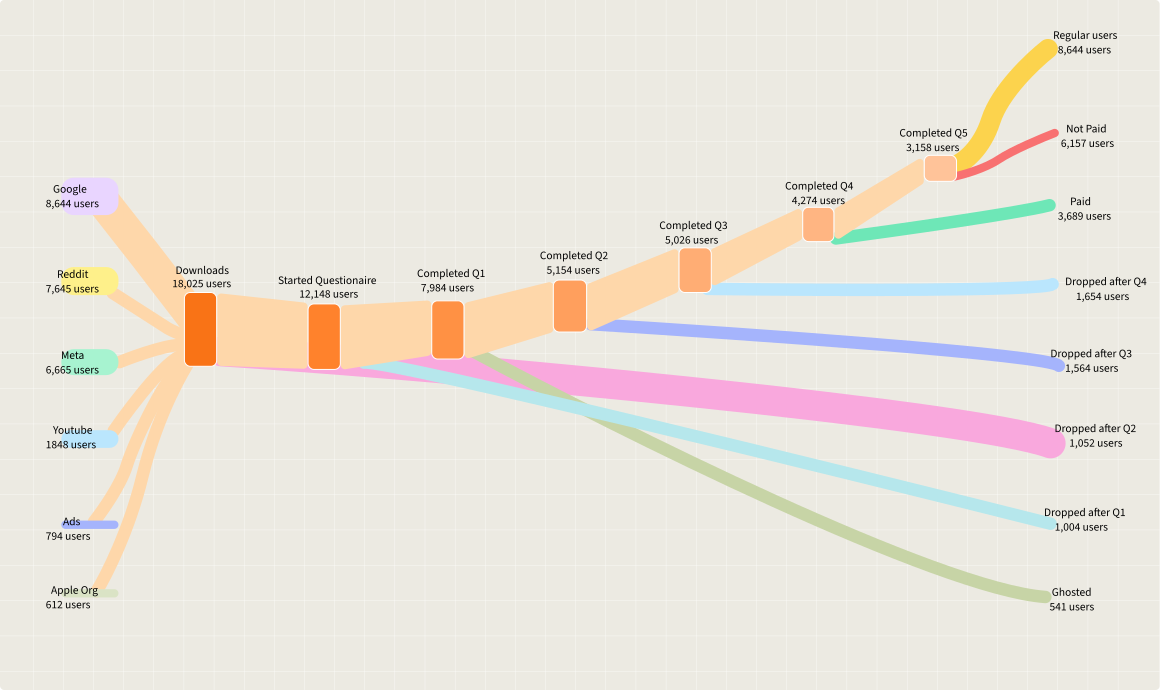
User journey from traffic sources through each step to conversion or drop-off

Trusted by agencies and brands running paid media

AffilinoBigfishClever DigitalKeetraxLegendListingLogicNumeroStormZealdBurst Digital
Click fraud

What is click fraud protection?

Click fraud protection is software that finds paid ad clicks made by bots, scripts, click farms or competitors, and limits the damage they do. The damage is twice over: you pay for the click, and if the visit fires a conversion, your ad platform learns to buy more clicks like it.

DataCops protects both halves. It checks every visit from your ads against its own IP intelligence across 360+ billion addresses and 350+ monitoring points, flags the bots, blocks the ones that come back at your Cloudflare edge, and when Real people only is on, never sends their conversions to your ads. It logs every paid click, and for Google Ads it exports the flagged ones as refund evidence.

One tool for the whole chain: detect the bot, block it when it comes back, keep it out of what your ads learn, and get your money back from Google.

What a paid click becomes

A real person
What your ads see today Ad click Checked Conversion sent
With DataCops Ad click Checked Conversion sent
A bot, Real people only on
What your ads see today Ad click Flagged Skipped, logged
With DataCops Ad click Flagged Skipped, logged
A bot on Google Ads
What your ads see today Ad click Flagged Refund evidence
With DataCops Ad click Flagged Refund evidence
The same bot, back again
What your ads see today Ad click Challenged at your edge
With DataCops Ad click Challenged at your edge
Why click fraud costs more than the click

Why click fraud hurts your campaigns

The wasted click is the part you see. The part you do not see is what your ads learn from it.

Leads sent to your ads
Real lead Counted
Bot lead Counted
Real lead Counted
Your ads now look for more bots

Bots become conversions

A bot that fills a form or adds to cart fires the same event as a person, and the pixel sends it to your ads as a success.

Booking form
Name
Maria Lopez
Meta
Treatment
Root canal
Meta
Meta

The pixel cannot tell who is real

Browser pixels send whatever fires. Nothing between the visit and the ad platform asks whether the visitor was human.

Your Google Ads report
Cost per lead Shown
Cost per booked call Not tracked
Cost per sale Not tracked

Cost per result looks cheap

Fake leads and fake carts make a campaign look efficient, so budget moves toward the traffic that is worst for you.

Your LinkedIn Ads report
Cost per lead Shown
Cost per qualified lead Not tracked
Cost per customer Not tracked

Reports hide the source

Bot clicks sit inside your campaign numbers. Without a click log, the worst campaign can look like the best.

How DataCops click fraud protection works

From the paid click to the conversion your ads learn from.

  1. Step 01
    Saved on yourdomain.com
    fbclid from Meta Kept
    gclid from Google Ads Kept
    ttclid from TikTok Kept
    Kept for up to 90 days

    Someone clicks your ad. DataCops logs the click ID and its campaign on your own domain.

  2. Step 02

    The visit is checked: browser signs of automation, plus datacenter, VPN, proxy and Tor networks.

  3. Step 03

    The visit gets one verdict, real person or flagged, with the reason.

  4. Step 04
    Won deal sent
    Meta Sent once
    Google Ads Sent once
    TikTok Sent once
    LinkedIn Sent once

    Real conversions go to your ads. With Real people only on, flagged ones are skipped and logged.

With Real people only off, every conversion is still sent and flagged visits are only marked in your reports.

Andrew Forsyth

“15 minutes to get server-side tracking live. After 3 days failing with another app and a DIY server-side Google Tag Manager, that alone sold me. Then support jumped on a Google Meet with me on a Sunday afternoon to finish the job. Nothing else comes close.”

Andrew Forsyth
Chief Executive Officer, Zeald
Edge blocking

Block repeat bots at your Cloudflare edge

A bot that clicks once usually comes back. DataCops sends every repeat bot IP to your own Cloudflare, where it is challenged or blocked before it reaches your site again.

1

Paste one Cloudflare API token

Scoped to your zone. DataCops creates one IP list and one rule there and manages both for you.

2

Repeat bots are pushed to your edge

Every 10 minutes, IPs that showed two or more bot visits in 24 hours go on the list. Good bots such as Googlebot never do.

3

They are challenged before your page loads

A managed challenge stops scripts, and a real person on a shared address still passes. The rule covers your whole zone, so forms and checkout are protected from every source, not only ad traffic.

Cloudflare edge block

RunsEvery 10 minutes
Adds an IPAfter 2 or more bot visits in 24 hours
Removes itAfter 30 days, or one click
Default actionCloudflare managed challenge
StrongerSwitch to a hard block
PlanOrganization
Real people only

The switch that keeps bots out of your ad data

Real people only is the click fraud protection setting that decides what your ad platforms learn from. With it on, a conversion from a flagged visit is never sent.

Real people only

Meta
Google Ads
TikTok
LinkedIn

What it holds back

Bots and automated browsersOn by default
Datacenter trafficOn by default
Proxy, VPN and TorYour choice
No browser user agentYour choice

One switch per platform

Turn it on for Meta and leave it off for LinkedIn if you like. Each platform keeps its own setting.

Off until you turn it on

New sites send every conversion. Switch on Real people only when you want flagged traffic held back.

Every skip is logged

A conversion held back by the switch shows in your delivery log as skipped, with the reason.

Click log

See where your click fraud comes from

The DataCops click log follows every paid click from the moment it lands to the conversion it did or did not become. You see the real people and the flagged traffic side by side, campaign by campaign.

Every paid click, not just the ones that convert

Each click ID that reaches your site is logged with its campaign, from Google Ads, Meta, TikTok and LinkedIn.

Landed, loaded, real, converted

See how many clicks never loaded the page, how many were real people and how many turned into a conversion.

Flagged clicks by campaign

Spot the campaign where bots, VPNs and proxies pile up, before you raise its budget.

Google Ads clicks, last 30 days

Example numbers

Clicks landed1,240
Page actually loaded1,012
Real people861
Flagged: bot, VPN or proxy151
Real people who converted64
CampaignClicksFlagged
Brand search3129
Generic search604118
(untagged)9624

Refund evidence

Turn bot clicks into a Google Ads refund request

Google already filters some invalid clicks on its own. For the ones it charged you for, DataCops gives you the evidence to ask for the money back. Available on the Organization plan.

1

Flagged clicks are tagged as they arrive

Each Google Ads click DataCops flags as fraud keeps its click ID, IP, timestamp and campaign, with the reason it was flagged.

2

Export the evidence

Pick a date range and download a CSV in the shape Google asks for. The range stops at 60 days, because that is as far back as Google investigates.

3

Google decides the refund

Attach the file to Google's Click Quality Form. Google reviews every case and decides any credit. DataCops packages the evidence, it does not file the claim for you.

Evidence export

Filefraud-clicks-report.csv
RangeUp to the last 60 days
Each rowGCLID · IP · time · campaign · landing page · device · country
ReasonAutomated browser · Datacenter · VPN · Proxy · Repeat clicks
Next stopGoogle's Click Quality Form
Ready to download CSV

How DataCops catches and stops click fraud

Capture Background

One first-party script, served from your own domain

  • Runs first-party from datacops.yourdomain, not a blockable third-party host
  • One script, one CNAME, live in about 5 minutes, no container to host
  • Server-side collection on Cloudflare's edge, close to every visitor
  • Captures click IDs at the network level, so fbclid and gclid still reach your CAPI feed after browsers strip them
  • Recovers 15 to 25% of the sessions other setups lose

Traffic Visibility

10%
20%
30%
40%
50%
60%
70%
80%
90%
100%

First-Party Script

~78%

Blockers and ITP cut your sessions

Delivery log
every event, every platform, with a reason
Live
Purchase to Meta
fbclid + hashed email
Delivered
Lead to Google Ads
bot, Real people only is on
Skipped
Lead to Google Ads
gclid
Delivered
AddToCart to TikTok
datacenter traffic
Skipped
Purchase to Meta
server-side
Delivered
Delivery log

Every conversion sent, and every one held back

Click fraud protection is not a black box. The delivery log shows what happened to each conversion and why.

  1. 1
    Sent
    Real conversions go to Meta, Google Ads, TikTok, LinkedIn, Microsoft Ads, Reddit, Pinterest and X from the server.
  2. 2
    Skipped with a reason
    A conversion held back by Real people only is logged with why.
  3. 3
    Our own IP intelligence
    Visitor IPs are checked inside DataCops, not sent to another lookup vendor.
  4. 4
    Email risk on forms
    Emails given on forms are scored for disposable and fake addresses.

DataCops vs ClickCease and Google's own click fraud filter

Each does a different part of click fraud protection. Checked September 2026 against each company's own pages.

DataCops
ClickCease
Google's invalid click filter
Keeps bot conversions out of your ad platforms
Real people only, per platform
Pixel Guard
Blocks repeat bot IPs
At your Cloudflare edge, Organization plan
In Google Ads
Pushes IP exclusions into Google Ads
Removes invalid clicks from your bill automatically
The clicks Google catches
Sends your conversions server-side
Eight ad platforms
Microsoft Ads
Conversions and Real people only
Google only
Google refund evidence export
Organization plan
Built-in consent manager
Good to know

What to know before you start

Four facts, so nothing surprises you later.

Real people only starts off

Every conversion is sent until you switch it on for a platform.

The first click is still paid

No tool can stop a click already made on Google or Meta. DataCops blocks repeat bots at your Cloudflare edge (Organization plan) and keeps every bot out of your ad data.

Refund evidence is Google Ads only

On the Organization plan, up to the last 60 days. Google decides the refund.

CRM events are not bot checked

Sales from your CRM, a webhook or a CSV have no visit to check.

Set up click fraud protection in about 5 minutes

One script, your ad platforms, one switch.

  1. Step 1
    code

    Add the DataCops script
    One script and one DNS record, so every paid click is logged on your own domain.

  2. Step 2
    ads_click

    Connect your ad platforms
    One-click sign-in for Meta, Google Ads, TikTok, LinkedIn and X, an API key for Microsoft Ads, Reddit and Pinterest.

  3. Step 3
    verified_user

    Switch on Real people only
    Per platform, in delivery settings. Add VPN and proxy if you want them held back too.

  4. Step 4
    shield

    Connect Cloudflare
    On the Organization plan, paste one scoped API token and repeat bots are challenged at your edge.

In short

Click fraud protection with DataCops, in short

DataCops is click fraud protection for your ad data: every visit gets a bot verdict, and with Real people only on, bot clicks do not reach the conversions Google Ads, Meta, TikTok and LinkedIn learn from.

How DataCops does it

1

A verdict on every visit

Each visit is checked against an IP database covering 360+ billion IPs and 350+ monitoring points, and flagged as a bot, a datacenter address, or a VPN, proxy or Tor user. A signed server-set cookie on your domain lasts up to 400 days where enabled, set after consent and a clean bot check.

2

Real people only, per platform

You switch it on for each ad platform. It is off by default. When it is on, bots and datacenter IPs are blocked from that platform by default, while VPN, proxy, Tor and no-user-agent visits are optional. Blocked sends are logged as skipped.

3

A click log

See each click move from landed to rendered, clean or flagged, converted and sent, per campaign, for Meta, Google Ads, TikTok and LinkedIn click IDs. Flagged clicks are still delivered unless Real people only is on.

4

Refund evidence for Google Ads

On the Organization plan, the fraud refund report exports Google Ads clicks tagged as fraud (bot traffic, VPN or location mismatch, multiple clicks) as a CSV with GCLID, IP, time, campaign, landing page, device, geography and reason, for up to 60 days. You attach it to Google's form; Google decides the refund.

5

Fake leads and signups

Every form email is checked for throwaway providers, domains with no mail server and an email risk score. LeadCops can hold a lead until it is confirmed, and SignupCops holds risky sign-ups back from the ads.

6

The real sale goes back

CRM stages (HighLevel, any CRM by webhook) and Shopify orders go to your ads as they close, counted once, and Ads Warmup sends your existing customers to Meta, Google Ads and TikTok.

Best for: advertisers on Google Ads, Meta, TikTok and LinkedIn who see bot traffic, fake leads or junk signups in their data, agencies reporting to clients, and anyone building a case for a Google invalid-click refund.

Free to start. See pricing.

When not to use DataCops

You want clicks blocked at the ad

DataCops does not block clicks or push IP exclusion lists to Google Ads. Tools such as ClickCease do. DataCops keeps flagged visits out of the conversions you send.

You expect automatic refunds

DataCops never submits anything to Google. You attach the export and Google decides.

You expect bot checks on CRM sales

CRM, webhook and CSV events carry no bot flags. The verdict applies to the site visit.

Microsoft Ads is a pilot

DataCops sends to Microsoft Ads through its UET Conversions API, which Microsoft runs as a pilot. Ask your Microsoft account manager to switch it on for your UET tag. Events must be within 7 days.

Sources

Platform rules checked October 2026. Rules change; check the platform's own page before you build.

FAQ

Click fraud is a paid ad click made by something with no interest in buying: a bot, a script, a click farm or a competitor. You pay for the click, and if the visit then fires a conversion, your ad platform learns to find more traffic like it.

Click fraud protection, the whole chain

Detect every bot, block the ones that come back, keep them out of your ads, and get the evidence for a Google Ads refund.

Setup in 5 minutes. No credit card.

Live traffic quality

Updated just now

Visits · last 24h

487
Real users
35873.5%
Bots · auto-filtered
12926.5%

Without filtering, 26.5% of your reported traffic is bot noise inflating dashboards and draining ad spend.

Don't trust your analytics!

Make confident, data-driven decisions withactionable ad spend insights.

Setup in 2 minutes
No credit card